
Building this website was really rewarding, but I wanted to briefly go over some of the mistakes I made and troubles I ran into. Maybe it’ll be helpful for those who are new to this (like me!!).
I used Jekyll to build this website. The beauty of jekyll is that, when I built this website, I was able to use it without really understanding what it was doing. It was pretty much plug and play (by which I mean fork and push) for the Halve template.
Now, after reading a bit about it, this is my basic understanding of Jekyll:
_posts, _layouts, and _includes. Don’t drastically alter the structure of the directory if you want Jekyll to be able to parse your content correctly.So, even though I said before that this template was pretty much “plug and play,” that didn’t mean it immediately worked as intended.
When I first built the website, I excitedly went to my url to find this: 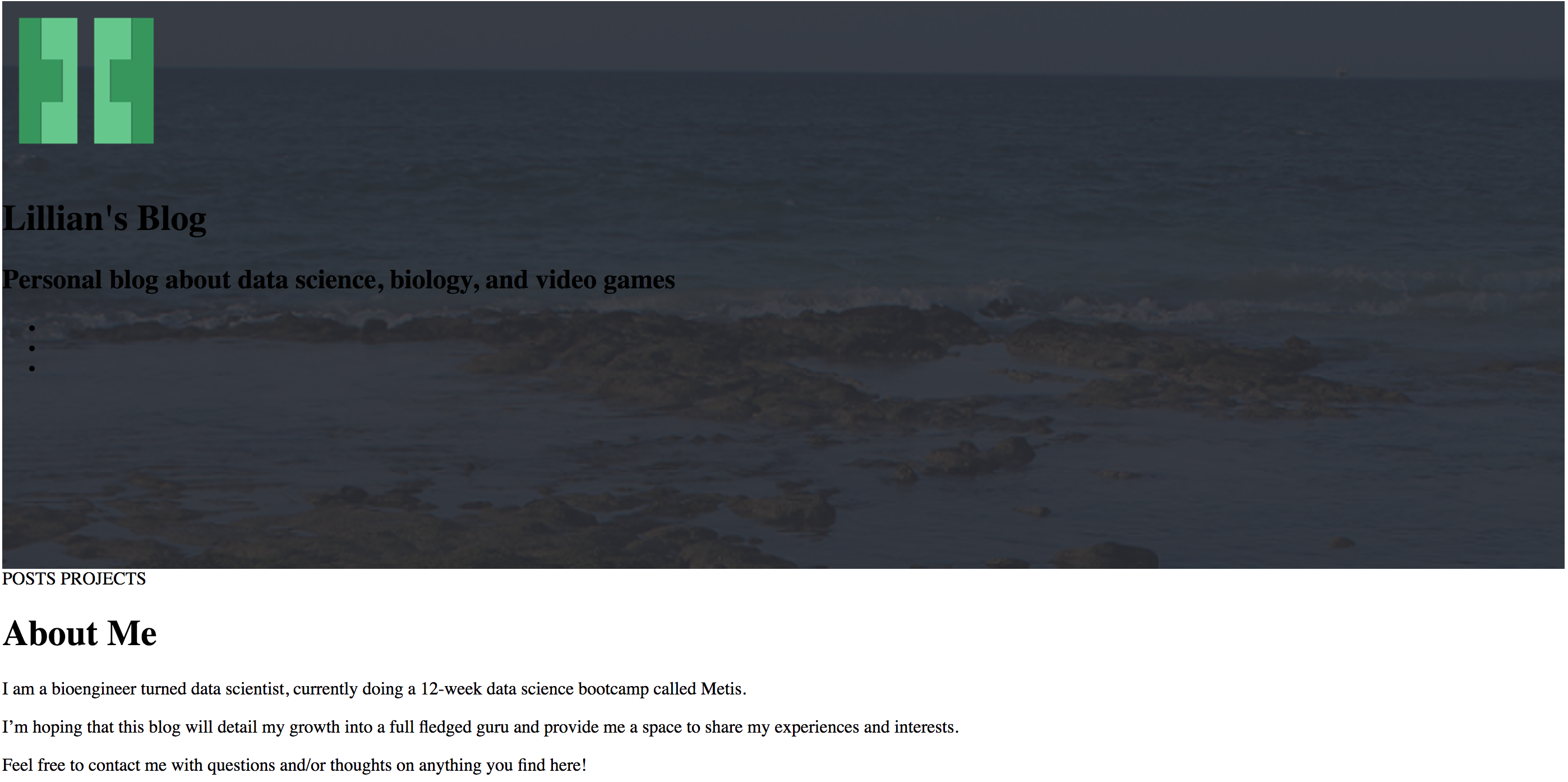
Not exactly what I was hoping for, so I frantically looked through the repo trying to make sense of all the folders and files. Then, I realized that that my website was giving me the following warning:
“This page is trying to load scripts from unauthenticated sources”
Well, I clicked the shield and said “RUN THOSE SCRIPTS ANYWAY.” And voila! The website was looking perfect. So, how do I make sure that my scripts appear to be safe? Apparently it just requires the url in the _config.yml file to be set to https://liltong97.github.com as opposed to just http://liltong97.github.com. Spoiler alert: the “s” stands for “secure”….
I had two major problems when it came to the images and photos used on this website.
I was pretty excited to finally have a use for some of my old photos that I had taken from the Galapagos. So, I picked my a few of my favorites to use as the cover photo for my home page, posts page, and the blogs pages. However, when the website was loading up, it look a very long time to render the images. The issue was that the image files I was using were way too large (~10MB). Intuitively, if you want the photos to load faster, you’ll need to reduce the quality and size of the image. I was able to manage this by converting them from .jpeg -> .gif -> .jpeg. You can also use basic photo processing software (like MS paint) to shrink the physical size or number of pixels in the photo, which will help the file size a lot. Yes, I know that my images are still loading relatively slowly, but trust me, it’s a lot faster than what it was before!! (…Ok, ok, I’ll work on it soon!)
Some of my graphs weren’t appearing in my Project Benson post at all. It had taken me a while to realize that because the Mac OS is case sensitive, it perceives .png and .PNG as two completely different file extensions. I had pulled the graphs from a Windows computer which willy-nilly assigns the file extension to be .PNG when using the screenshot snipping tool. Now, when trying to use Jekyll (which locally builds the website!!), it doesn’t realize that .PNG is an image file, thus being unable to display the graph. Definitely one of the more silly bugs that I’ve come across, but one that I think deserves more attention because it seems hard to catch if you don’t know what you’re looking for!
Building this website and continuing to build upon it has been a super awesome learning experience. If you have tips on how to make it better or find anything that’s broken, don’t hesitate to reach out to me! I made other minor changes to the website (e.g. instead of a 50/50 window split, I chose to do 35/65). If you have questions on how I implented this, feel free to contact me or inspect my repo (hint hint, check the /assets/_sass/_site.scss file).